Skip to content

● Saved · Just now

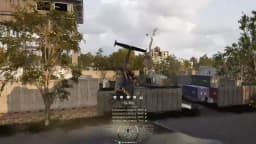
WD - Solo Flying - Touch And Unload Passenger When The Rest Left Early

was Replay 2026-10-31 22-14-07.mp4

Every play,
on the record.

Orev watches your clips folder and names every highlight by game, map and moment. No more “Replay 2026-10-31 22-14-07.mp4”.

Windows 10 and 11 · Works with your recorder, or records for you

✦ Spotted

Touch And Unload Passenger When The Rest Left Early

Tagged: Highlight, WARDOGS

The problem

Your best plays are buried in a folder like this.

Every recorder dumps clips with a timestamp for a name. Two weeks later you can’t find the ace you were sure you saved. Orev watches the folder, looks at each clip and gives it a name you’d actually search for.

  1. Day 1

    You clip the landing

  2. Day 6

    Newer clips bury it

  3. Day 14

    You search for it

Same clip, same two weeks. Now with Orev.

01 · Capture

You mark the moment. Orev does the rest.

Built in, so there’s nothing else to set up. Game, voice chat and your mic land on separate tracks.

While you play

Your frame rate stays put

It records with your graphics card’s video encoder, starts when a game opens and stops when it closes.

Alt+F10saves the last 60 s
  • Game
  • Voice chat
  • Your mic
Replay 2026-10-31 22-14-07.mp4● Saved

Or keep the recorder you already use

  • NVIDIA ShadowPlay
  • AMD ReLive
  • OBS Studio
  • Xbox Game Bar
  • SteelSeries Moments
  • Medal
  • NVIDIA ShadowPlay
  • AMD ReLive
  • OBS Studio
  • Xbox Game Bar
  • SteelSeries Moments
  • Medal

Saved. Now watch it get a name

02 · Name

It gets a name you’d search for.

Orev watches the clip, reads the killfeed and the map, and files it by game.

AI naming

Names every clip for you

It watches the clip, reads the killfeed and the map, and writes a name you’d actually search for.

In your words

Or just say it

When the point of the clip is the joke, say what happened. Rough is fine. Orev turns it into a clean title.

Auto sort

Sorted by game

New clips land in the right folder by themselves.

Named and filed. Now try finding it

03 · Find

Find it in seconds.

Type what you remember, the way you’d say it.

Search

Search like you talk

Type what you remember. Orev finds it.

Day 14, in the folderthat heli drop when the rest left0 results

In Orev

Touch And Unload Passenger When The Rest Left Early1 result · 0.4 s

Review

One clip at a time

Keep, trim or toss each clip with one key. No dragging files around.

Found it. Now put it in a compilation

04 · Compilation

Your best week, cut for you.

Orev already knows which clips are the good ones. Hit one button and it strings them into a clip compilation. Tweak it, or post it as is.

Drafts build up on their own as you play.

WD - Solo Flying - Touch And Unload Passenger When The Rest Left Early0:00 / 0:24

Timeline

Swap clip 4 for “WD - Reviving a friendly enemy”? It hits harder.

Cut. Now send it to the squad

05 · Share

Share the moment, not a 400 MB file.

Pick where it’s going and Orev makes a copy that fits. Trim it to the good part, keep or drop voice chat, then paste it straight into Discord, WhatsApp or an email.

  • Fits Discord Free (10 MB), Nitro (500 MB), WhatsApp (16 MB) or any size
  • Trim to the play first, so the copy is just the moment
  • Voice chat in or out, your call
  • Copy, then Ctrl+V. No uploading, no links that expire

Looked after

Your clips stay on your PC.

The built-in AI watches your clips right here. Nothing is uploaded unless you pick a cloud AI, and even then only what you allow.

  • Analyzed on this PC

    The AI runs locally. No account, no upload.

  • Voices stay here too

    What you and your squad say is transcribed on this PC.

  • Strangers stay anonymous

    Other players’ names on screen are masked in titles.

  • Friends keep their names

    Add your squad once, so a clip can be “Mike Came To Say Hi”.

Cleanup

Clears out the junk

Spots clips you saved twice and clips where nothing happens. It always asks first, and anything removed goes to the Recycle Bin.

Storage

Sorted and backed up

A folder per game, a copy on your NAS if you want one, and every rename can be undone from Activity.

FAQ

Questions people ask

Does it work with my recorder?

Yes. Point it at the folder ShadowPlay, AMD ReLive, OBS, Xbox Game Bar, SteelSeries Moments or Medal saves to. Or turn on Orev’s own recorder.

Will it slow down my game?

No. Its recorder uses your graphics card’s video encoder, so games keep their frame rate. If the AI runs on this PC’s graphics card, Orev waits until you stop playing before it starts naming clips.

Do my clips get uploaded?

No. The built-in AI watches your clips on your PC. Nothing is uploaded unless you pick a cloud AI, and even then only what you allow.

What if it gets the name wrong?

Rename it, or say what happened and it writes a new title. Every rename can be undone from Activity.

Windows warned me when I installed it. Is it safe?

Yes. Orev is in beta and its installer isn’t signed yet, so SmartScreen doesn’t recognize it. Click More info, then Run anyway. It installs for your user only.

Can I send clips to my friends?

Yes. Pick where it’s going, like Discord Free’s 10 MB, and Orev makes a copy that fits. Copy it, then paste it with Ctrl+V.

Stop losing your best plays.

Install it, point it at your clips folder, hit your hotkey when it counts. Orev keeps the record.

Download for Windows

Windows 10 and 11

Beta. Windows may warn that it’s unrecognized: click More info, then Run anyway.